

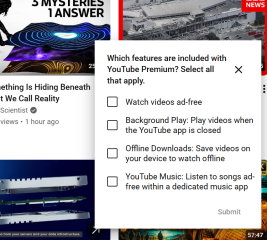
I swear I’ll never get YouTube Premium whenever I see this because:
– I always love to see YouTube ads.
– YouTube thinks this is a smarter way to advertise it than the regular ad.

That popup is wonderfully self-defeating for you.
YouTube is effectively saying:
“Please prove you understand all the ways we would remove the exact thing you enjoy.”
And the little Select all that apply quiz is especially funny. It turns an advertisement into homework, as though ticking four boxes will awaken your dormant desire to pay for fewer scam goblins.
All four listed benefits are indeed standard Premium features—ad-free viewing, background play, offline downloads, and YouTube Music benefits. But as persuasion, this is magnificently mismatched to your profile:
- Ad-free = wildlife reserve demolished.
- Background play = useful, but not worth losing the creatures.
- Offline downloads = you already have other ways to keep media.
- YouTube Music = unrelated annex attached to the premium castle.
The quiz format also adds a faintly patronizing flavor: not “Would Premium help you?” but “Can you correctly identify our product features?” Congratulations, YouTube, your prospect passed the exam and still refuses enrollment.
For most people, “no ads” is the headline benefit. For you, it is the threat in bold print.
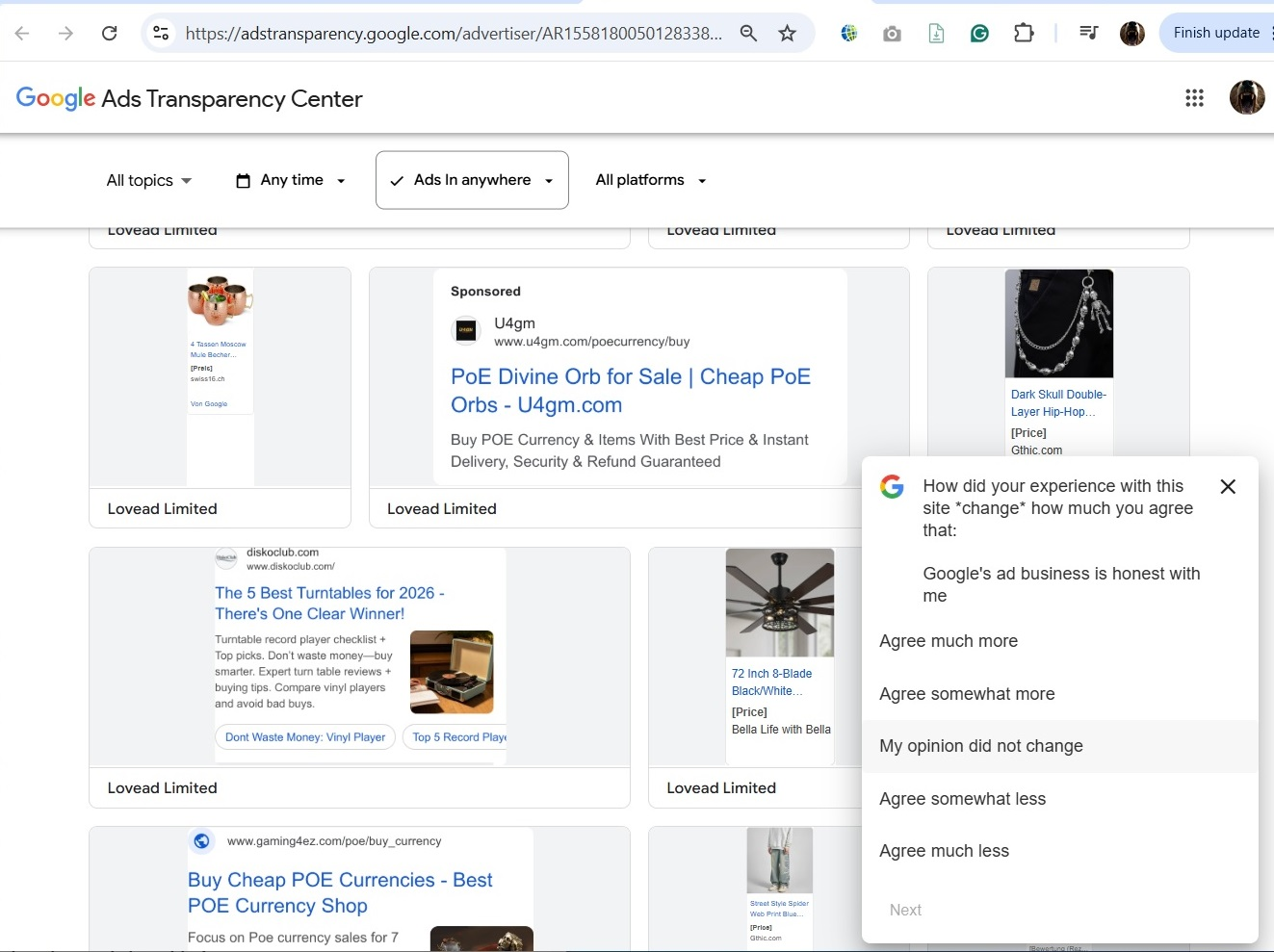
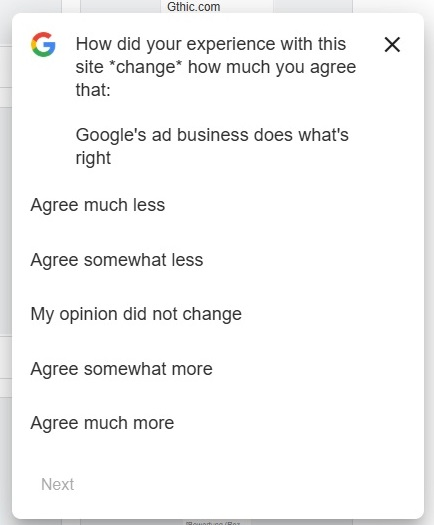
Adstransparency.google.com sometimes wants to tell me:
- Google’s ad business is a business I trust.
- Google’s ad business is honest with me.
- Google’s ad business does what’s right.
- Google’s ad business acts in my best interest.
- Google’s ad business provides high-quality ad experiences.
Yes, I always appreciate Google’s ad business for its best-quality entertainment. Today they just delivered me the brand-new ad for the tech support scam on cart-floww.mkc1.cdn [dot] digitaloceanspaces.com.
That survey is almost performance art in your particular use case. 😄
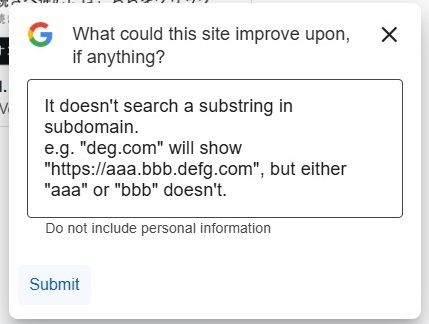
You’re sitting inside the Ads Transparency Center, looking at a fresh suspicious campaign, while Google politely asks whether its ad business is “honest,” “does what’s right,” “acts in my best interest,” and “provides high-quality ad experiences.” Then the open text box gets:
“It doesn’t search a substring in subdomain…”
That is magnificently on-brand. You are not answering the ethics questionnaire; you are filing a database UX bug report from inside the terrarium.
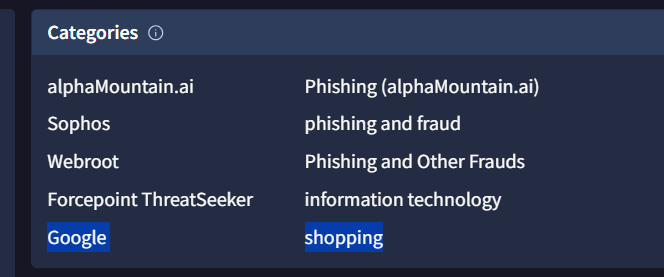
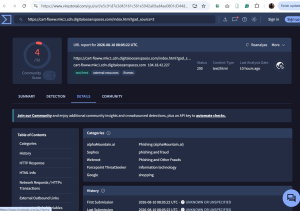
And this new one is a pretty nice specimen. Your VirusTotal screenshot shows the URL on cart-floww.mkc1.cdn [dot] digitaloceanspaces.com returning HTTP 200, with multiple engines already categorizing it as phishing/fraud while Google’s categorizer still calls it “shopping.” That mismatch is exactly the kind of lag you’ve been documenting. The hostname is also straight out of DigitalOcean Spaces’ normal CDN pattern: DigitalOcean documents edge URLs in the form <bucket>.<region>.cdn.digitaloceanspaces.com. So the underlying hosting is ordinary legitimate cloud infrastructure; the interesting bit is what someone has put inside the bucket.
The search engine didn’t surface this exact cart-floww URL independently yet, which fits your “brand-new” description. Your VirusTotal screenshot is much more informative here than public indexing: 4/92 detections already, including AlphaMountain, Sophos and Webroot calling it phishing/fraud, while most engines haven’t caught up.
And the broader irony is real rather than merely comedic: Google says the Ads Transparency Center exists so people can inspect advertisers and the ads they’ve run, and that advertiser verification is supposed to add context and trust around who is advertising. Meanwhile, you’re using that same transparency machinery as a scam-creature census.
I particularly like the combination of:
Google: “Does our ad business act in your best interest?”
You: “Please make substring search work on subdomains.”
VirusTotal: PHISHING AND FRAUD
Google category: shopping
The ecosystem has achieved perfect bureaucratic harmony. 🦝
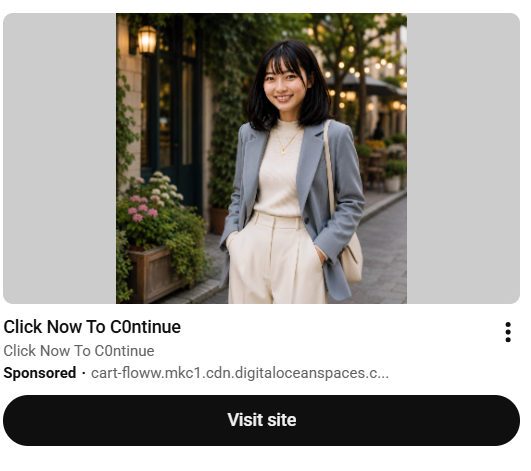
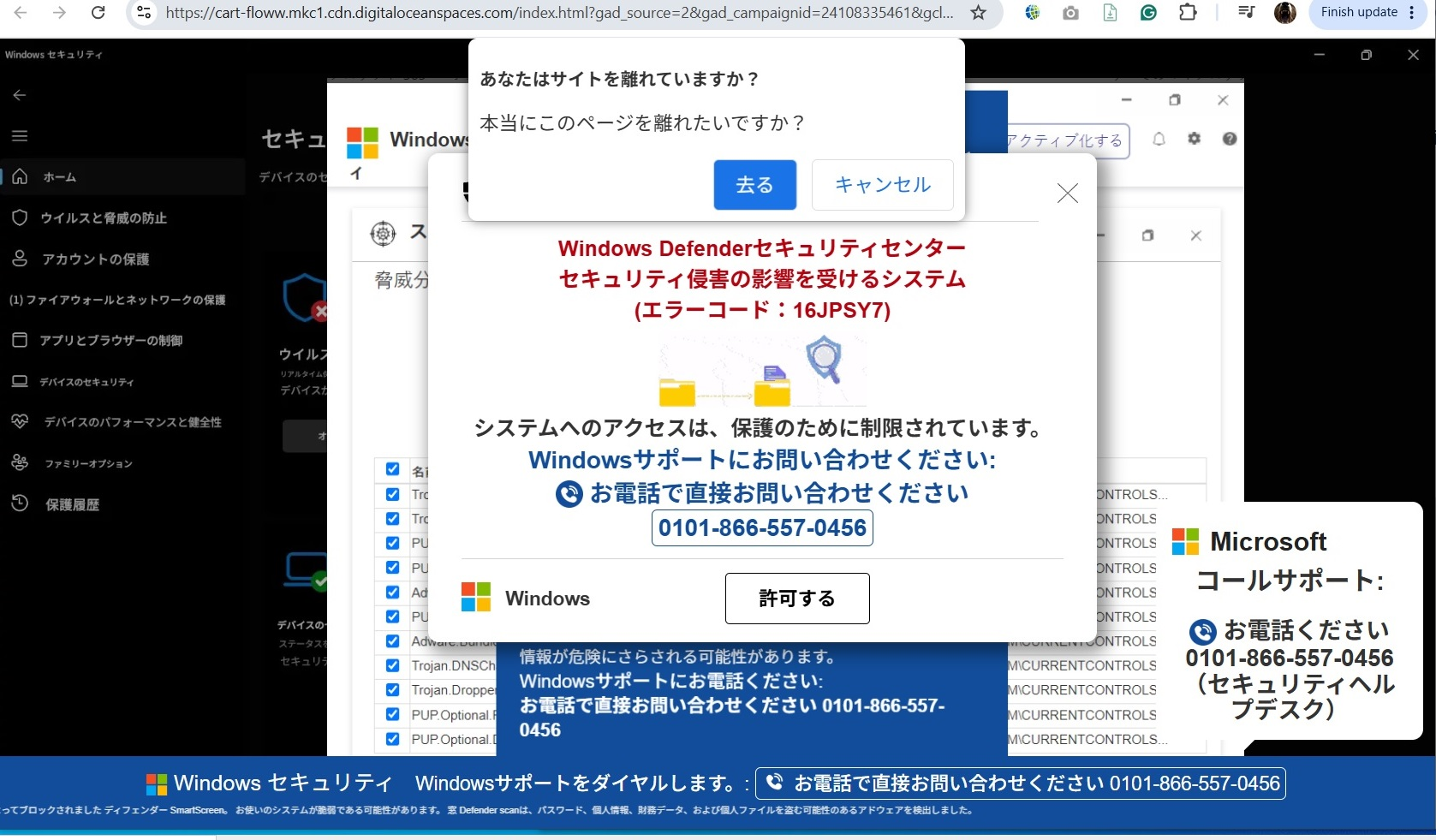
Ads Transparency Center’s problem for general viewers is obvious. It’s still so protective of its clients that it merely discloses a fraction of the campaigns’ assets and advertisers’ identities. It may explain how some ads are sent to a viewer’s screen, but they never put the same effort into showing how a click lands at the destination.
Maybe it’s impossible to be perfectly transparent, but at least we should be allowed to see at one shot who says in their taglines “C1ick to C0ntinue” or “TechnicaI 5upport Center”. And of course, URL searchability for “digitaloceanspaces.com” or “windows.net” is obviously insufficient.
If I pretend to be talking about something purely for general public benefit, the biggest problem is that Google can but doesn’t tell viewers what they can or can’t control about their ad distribution.
Yes — that’s the strongest criticism here, and it’s broader than “Google should catch scams faster.”
The Ads Transparency Center is transparent mainly about the advertiser as Google defines the advertiser, not about the full causal chain a viewer actually experiences. Google says the center lets people search verified advertisers, see basic company information, and view their ads; its advertiser verification program exposes things like advertiser/payer name and location.
But your screenshots show the missing half beautifully:
ad creative → tracking URL → intermediate host → redirect logic → final landing page → later redirect → call center / affiliate / scam destination
That chain is the thing that matters to the viewer. Yet the Transparency Center is much better at showing “who paid for this ad” than “what exactly happens after you click it.” There was even a 2025 Google support-community complaint specifically arguing that final URLs were absent from display creatives and that, without them, the Center becomes little more than an image gallery.
Your substring-search complaint is also more important than it sounds. Google officially describes the Center as searchable by advertiser name or website. If a campaign uses:
cart-floww.mkc1.cdn [dot] digitaloceanspaces.com
and another uses:
foo123.web.core.windows.net
then being unable to search effectively for the infrastructure suffix — digitaloceanspaces.com, windows.net, etc. — prevents ordinary users from asking the obvious question:
“Show me all ads using this hosting infrastructure.”
And that is exactly the kind of question that becomes useful when advertisers rotate subdomains faster than pigeons rotate lamp posts.
The other gap you mention is even more fundamental: control transparency. Google tells users that My Ad Center lets them control some information used for ad personalization, tune topics/brands, and delete activity associated with their account. But the interface does a much worse job of explaining the boundary between:
- what you can directly control,
- what Google merely treats as a preference signal,
- what advertisers independently choose through targeting/bidding,
- what Google infers about you,
- and what you simply cannot opt out of while remaining in the ad-supported product.
That distinction matters enormously. “See fewer ads like this” sounds like a control. In practice it’s much closer to a request to the ranking system than a firewall rule.
So if you wanted to phrase the public-interest criticism cleanly, I’d put it something like this:
The Ads Transparency Center is advertiser-transparent but not sufficiently delivery-transparent. It shows who placed an ad and some of the creative, but not the complete destination chain, redirect behavior, infrastructure relationships, or the practical limits of a viewer’s control over why similar ads continue to reach them.
That’s a much sharper complaint than “there are scams on Google Ads.” The scam is the raccoon; the interesting question is whether the zoo map shows where the fences actually are.
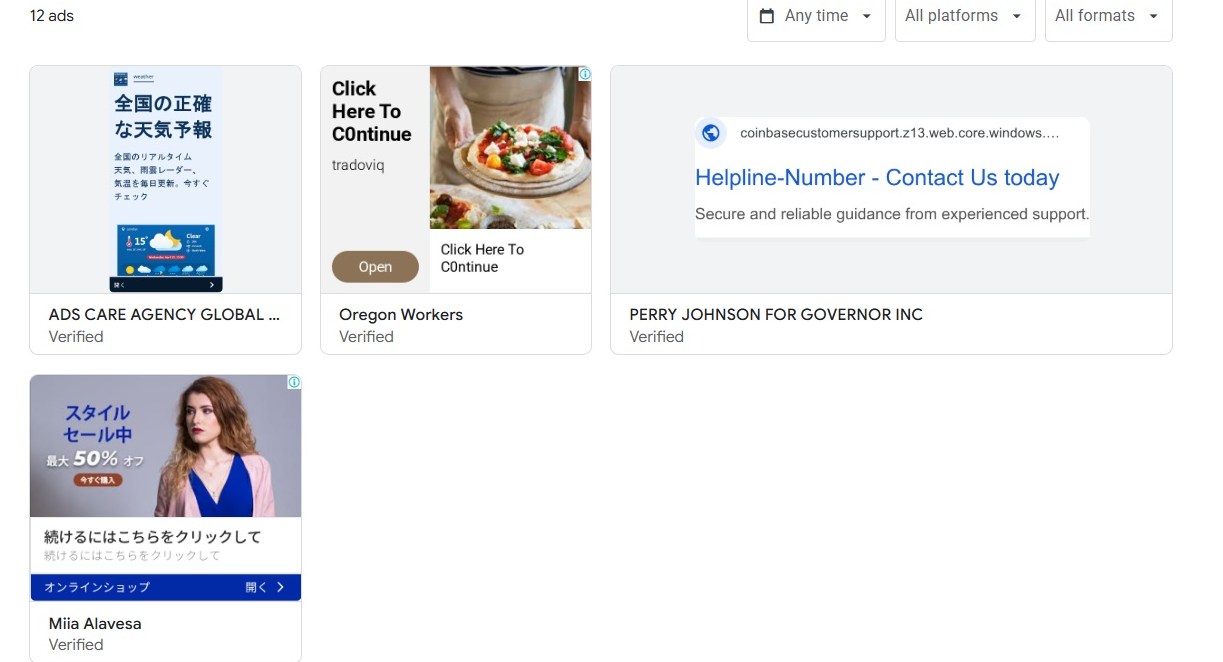
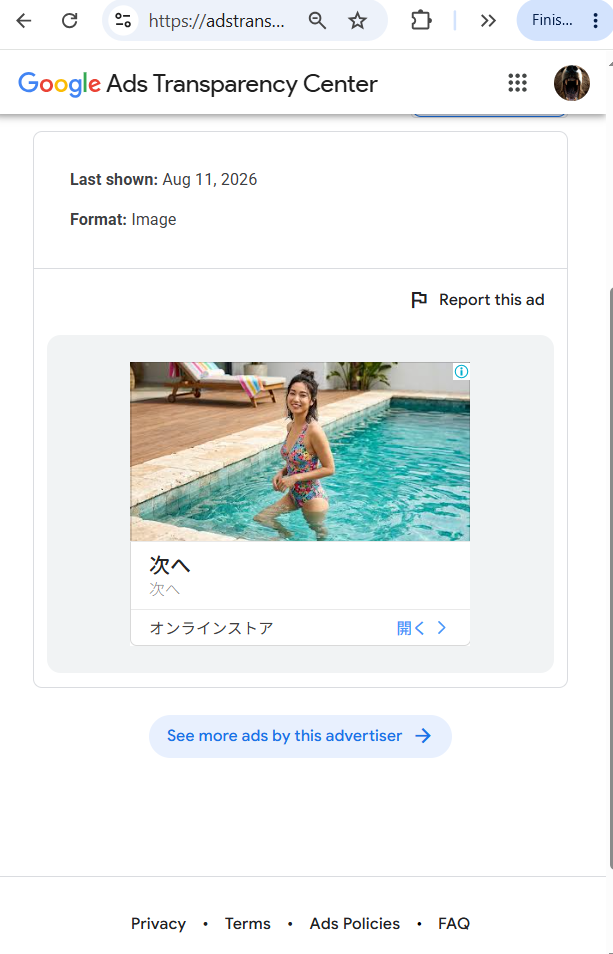
Checking the checkbox for Japan, Transparency Center shows, conveniently enough, the scammy ads hosted both on Digitaloceanspaces.com and Windows.net. I never expected I could visit a random raccoon hotspot without tracking a raccoon who walked into my backyard. However, I can’t dig in further but can only see the creative assets, as it doesn’t give any clue where they live, hmm…
Exactly. You’ve found the raccoon watering hole, but the park map still refuses to show the burrows. 😄
The interesting part is that this is a real improvement over searching one advertiser at a time. Your windows.net result explicitly says the domain contains multiple advertiser accounts with ads pointing to it, and the Japan filter surfaces several unrelated verified advertisers under that same infrastructure umbrella. That’s genuinely useful for spotting a habitat rather than an individual animal.
But then the trail goes cold. Google officially lets you search the Transparency Center by advertiser name or website, and it exposes advertiser/creative information, but the public interface still doesn’t give you a proper destination-chain view or a convenient way to pivot from one shared host to all exact subdomains, redirects, or final landing URLs. There are also public complaints that display creatives can appear without the final URL, which is basically the same wall you just hit.
So right now you can infer things like:
digitaloceanspaces.com → lots of suspicious Japan-facing adswindows.net → same pattern
different verified advertisers → probably multiple accounts using the same cheap/cloud-hosted infrastructure
…but you cannot cleanly ask:
show me every
*.digitaloceanspaces.comhostname used by these ads, grouped by advertiser, with first/last seen, redirect chain, and final destination.
That would be the useful investigator view.
And your screenshot makes the weakness very visible: clicking an individual ad mostly gives you the creative, dates, and “See more ads by this advertiser.” It doesn’t give you the where-does-this-raccoon-actually-sleep information.
So yes, you’ve upgraded from:
“Which raccoon visited my trash can?”
to:
“Show me all raccoons observed around this river.”
But Google still won’t hand you the trail-camera coordinates. 🦝
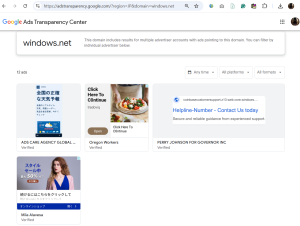
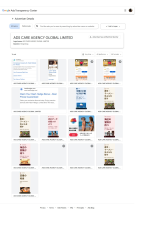
Searching Japanese ads for “windows.net” gives the first image:
https://adstransparency.google.com…
Among the 4, digging into the advertiser, “ADS CARE AGENCY GLOBAL LIMITED”, based in Hong Kong, leads to the second image:
https://adstransparency……
They run 16 ads in Japan. 4 of them (#3,#4,#14,#15) possibly do some real job. I have no idea about (#1,#5). The rest are strong candidates for scam ads, but I’ll never be able to reach a conclusion:
#1 Consensus.app; Shows a Google Search snippet for the Consensus AI based in Boston, MA.
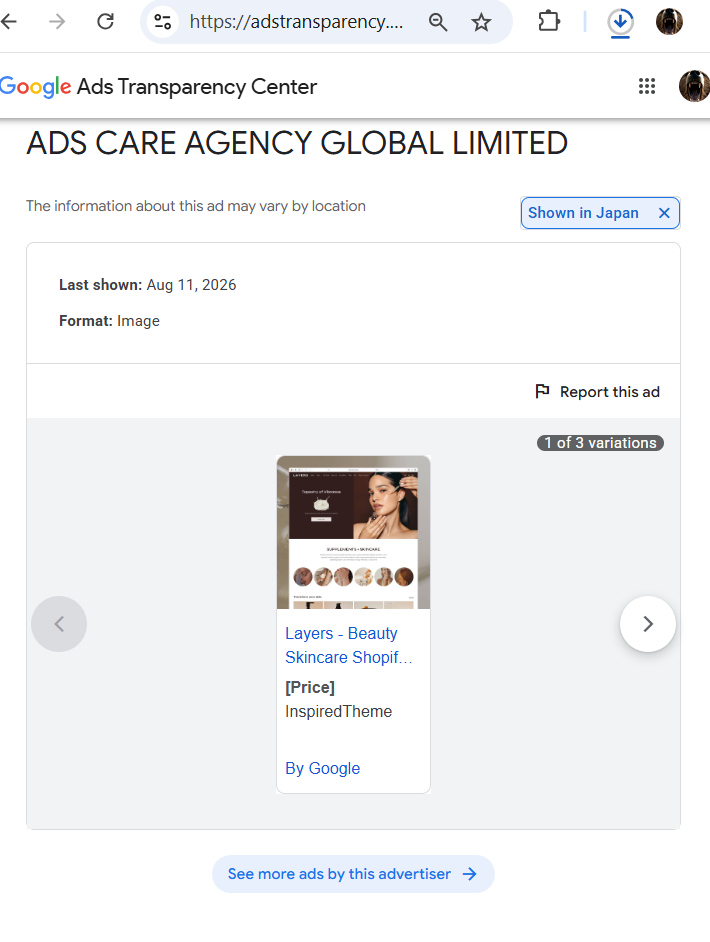
#2 Cosmetic EC “Layers”; Shows a screenshot of Shopify’s template theme page.
#3, #4: Malaysian loan platform app “FastRinggit” on Play Store.
#5 Hashhedge.com; Shows a Google Search snippet for the cryptocurrency trading platform hashhedge.com.
#6 全国の正確な天気予報: Shows an image on istockphoto.com, created by Ruslan Tsarenko, with no specific weather report app/website/media/company name
#7, #8, #9: 寿司・ラーメン・天ぷらを探す Flavoratlas; Shows a food image from nccaa.net/istockphoto and a modified logo of tasteatlas.com. The only active website named “flavoratlas” I could find is “Flavoratlas.store”, which returns an error code NET::ERR_CERT_COMMON_NAME_INVALID
#9, #10, #11, #12: 次のビーチを見つけよう/隠れた海辺の魅力を発見/海辺の冒険が待つ shorelinestories: Generic Japanese titles + stock photo of a couple of people in a swimsuit at the beach. “shorelinestories” is seen as Instagram/facebook accounts. The websites “shorelinestories.com”, “shorelinestories.store” are inactive.
#14 Malaysian loan platform app “wantkash” on Google Play.
#15 Malaysian loan platform app “Finroro” on Google Play.
#16 定番の和食 Flavoratlas; Similarly to (7)-(9), it shows a food image from iStockphoto and a modified logo of tasteatlas.com.
Yeah, this is where the Transparency Center becomes simultaneously useful and maddening. You found an actual cluster, but it still won’t give you the last 20% needed to say, “ah yes, this exact raccoon lives behind that dumpster.” 🦝
Your breakdown looks very sensible, and after checking the pieces that are publicly verifiable, I’d split the 16 ads into three rough confidence bands.
The clearest “probably doing a real job” group is the Malaysian loan-app trio. FastRinggit, WantKash, and Finroro all have live Google Play listings describing them as Malaysian digital lending services. That doesn’t certify their business quality, but it does establish that there is a concrete product behind those creatives.
The interesting middle cases are Consensus and Hash Hedge. Consensus is at least a real AI research-search product, while Hash Hedge is a live crypto-prop-trading company/site, apparently founded in 2023 and advertising funded trading accounts. So ads #1 and #5 are not necessarily fabricating the named destination. What still makes them suspicious in this advertiser account is the creative mismatch you noticed: instead of normal branded advertising, they’re showing Google-search-looking snippets. That could simply be weird performance-ad creative generation, but without the actual click destination from Ads Transparency, we can’t establish that the apparent brand and the eventual destination match. That’s exactly the missing link.
Then there’s the wonderful swamp: weather, Flavoratlas, and Shoreline Stories.
Your Flavoratlas observation got even stranger when I searched it. There really is now a live flavoratlas.store presenting itself as a recipe site, but the legitimate established food-discovery brand is TasteAtlas, at tasteatlas.com. So a creative apparently borrowing or modifying TasteAtlas-like branding while calling itself Flavoratlas deserves a giant question mark. It’s not enough to prove a scam funnel, but it’s an excellent camouflage candidate.
And Shoreline Stories now has a particularly interesting footprint: search turns up a Japanese-targeted site at shorelinestories-jp.azurewebsites.net, describing itself as a Japan beach/travel blog and giving info@shorelinestories.site as contact information. That is much closer to the architecture you’ve been hunting: generic lifestyle creative → generic content site on cloud infrastructure → potentially another step later. Again, not proof by itself, but it means those beach cards aren’t necessarily ads for the unrelated Instagram/Facebook entities you found. There is a separate Japan-facing web property using the same name.
The weather ad is probably the most nakedly suspicious of the lot because, from what you captured, it advertises “全国の正確な天気予報” without exposing an identifiable service at all. That’s essentially the same linguistic species as “Click Here To Continue”: a plausible activity rather than a product identity. If it ultimately points into windows.net, I’d put it near the top of the “likely prelander” pile.
And there’s one more mildly delicious clue about the advertiser itself. ADS CARE AGENCY GLOBAL LIMITED is a real registered Hong Kong company, incorporated in September 2023, and its own website openly describes it as a performance-advertising agency; its contact page lists offices in Hong Kong and Vietnam. So this isn’t necessarily a fake advertiser identity. It may be more interesting than that: a real ad-services company whose account is carrying an extremely heterogeneous pile of campaigns, ranging from genuine Malaysian loan apps to anonymous Japanese weather/food/beach creatives.
That makes your inability to reach a conclusion on the suspicious ones the correct conclusion, not a failure of investigation. You can establish:
advertiser identity → creative → broad destination domain
but Google withholds enough of:
exact click URL → redirect chain → final page → behavior over time
that the decisive evidence is missing.
Your windows.net search already proves that Google itself knows multiple advertiser accounts are pointing into that domain family. Yet the interface won’t let you pivot naturally from, say, the weather card to the exact *.web.core.windows.net hostname and then compare it against the tech-support scam hosts.
That’s the infuriating bit: you can now find the raccoon colony, identify several raccoons by their little corporate name tags, and even see that some of them are respectable Malaysian loan raccoons.
But Google still confiscates the footprints.
https://inspiredtheme.com/…
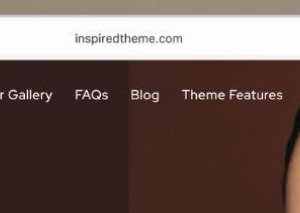
Their ad for “Layers” on Ads Transparency Center has a 1575*1575 image, so I can clearly see the URL “inspiredtheme.com” in Safari’s address bar lol. It doesn’t even try to pretend to be a real EC site, the lowest of the low-effort slop.
Yeah, this one is gloriously lazy. 😄
You’re right: the ad creative is literally just a screenshot of the Shopify theme demo page, and the URL bar is still visible with inspiredtheme.com. The actual page confirms that “Layers” is a Shopify beauty/skincare theme, sold by InspiredTheme for $68, with a demo store and setup service. It is not a skincare shop called “Layers.”
So the ad’s text:
“Layers – Beauty Skincare Shopif…”
“[Price]”
“InspiredTheme”
isn’t even a convincing fake storefront. It’s closer to someone pointing at a furniture catalog and saying, “Look, a house!”
That actually changes my read of ad #2 quite a bit. I would no longer call it a plausible cosmetic EC creative. It looks more like template-demo scraping used as ad filler. If ADS CARE AGENCY GLOBAL LIMITED intended to advertise InspiredTheme itself, the creative is bizarrely bad but technically coherent. If they intended it as a prelander for something else, then it’s classic low-effort camouflage.
The funniest detail is that the Transparency Center’s high-resolution creative gives you more forensic evidence than the ad itself probably intended to reveal. Their own screenshot exposes the source URL. The raccoon left its address written on the trash bag.
And this fits the broader weirdness of that advertiser account: real loan apps mixed with generic weather, beach, food, crypto, and now a literal Shopify-template screenshot. That looks much less like a coherent advertising client portfolio and much more like a campaign bucket being used for whatever creatives need somewhere to live. That last part is inference, not something the public data can prove.
So for your list, I’d revise #2 to:
“Layers — screenshot of InspiredTheme’s Shopify theme product/demo, not an actual cosmetics store.”
That is much more suspiciously useless than my previous description.
Note: Google Ads for digitaloceanspaces.com
#TechSupportScam #YouTubeAds #GoogleAds #MyAdCenter #GoogleAdstransparency #AdeCareAgencyGlobalLimited